> ## Documentation Index
> Fetch the complete documentation index at: https://gcore-doc-1894.mintlify.site/llms.txt
> Use this file to discover all available pages before exploring further.
# Specify cache lifetime for user browsers
The Browser caching option controls how long CDN content is stored in end users' browsers. Two modes are available: **Origin controlled** and **CDN controlled**.
Use **Origin controlled** when the origin server already manages browser cache duration through response headers. Use **CDN controlled** to set a fixed expiry independently of origin configuration.
When **Origin controlled** is active, Gcore CDN passes the origin's `Cache-Control` header to browsers unchanged. If the origin sends no `Cache-Control`, browsers may apply heuristic caching if a `Last-Modified` header is present. If neither header is present, content is not cached in the browser.
When **CDN controlled** is active, Gcore CDN overrides origin cache headers and adds the following to each response:
* `Cache-Control` — sets the maximum browser cache time. A 12-hour expiry returns `Cache-Control: max-age=43200`.
* `Expires` — calculated from the current time plus the `max-age` value.
Browser caching applies to responses with codes 200, 201, 204, 206, 301, 302, 303, 304, 307, 308. Responses with other codes will not be cached.
## Enable browser caching
To enable and configure browser caching on a CDN resource:
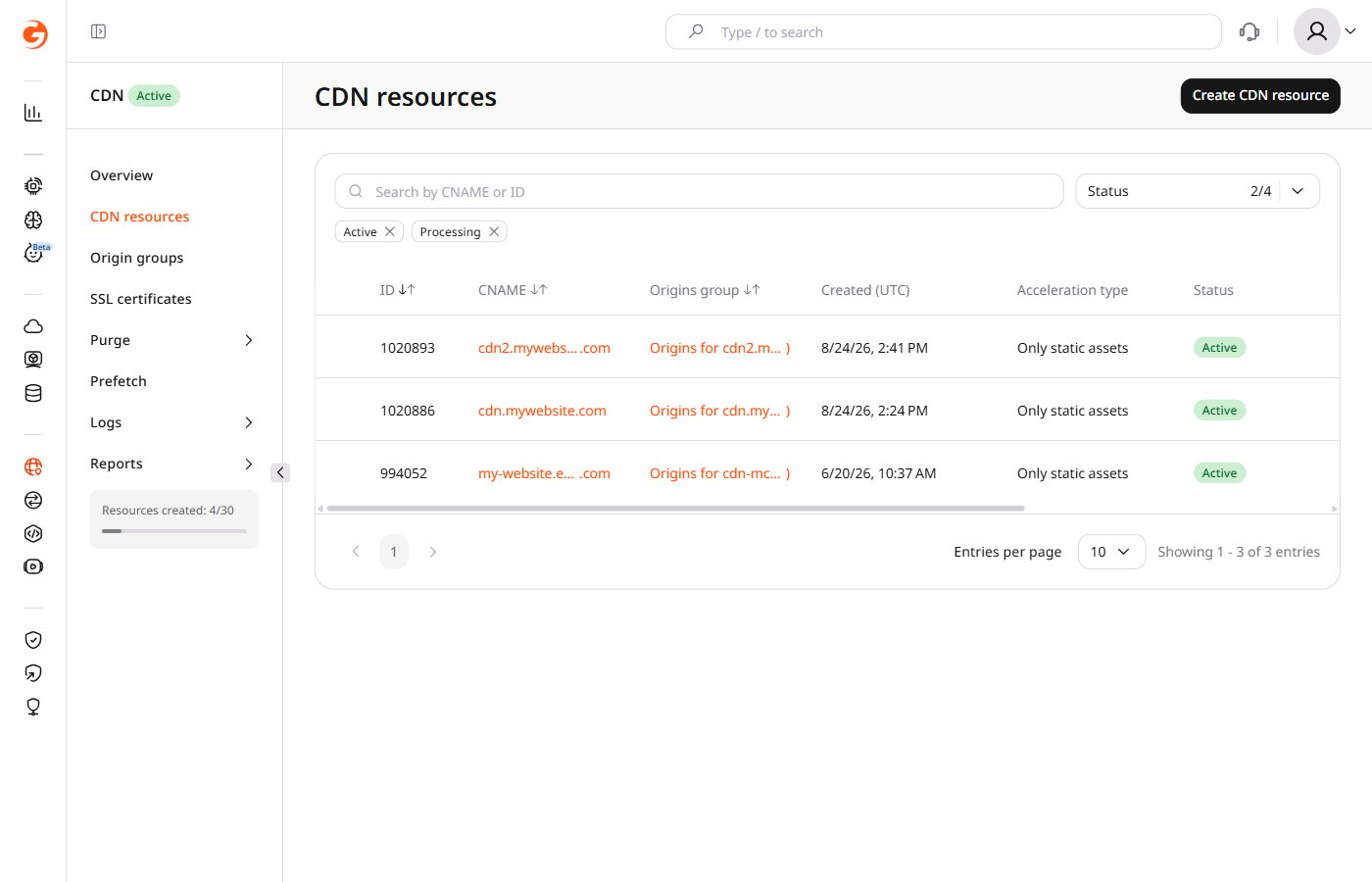
In the [Gcore Customer Portal](https://portal.gcore.com), navigate to **CDN** and click the custom domain of the target resource.
 In the **Cache** section, click **Browser caching**.
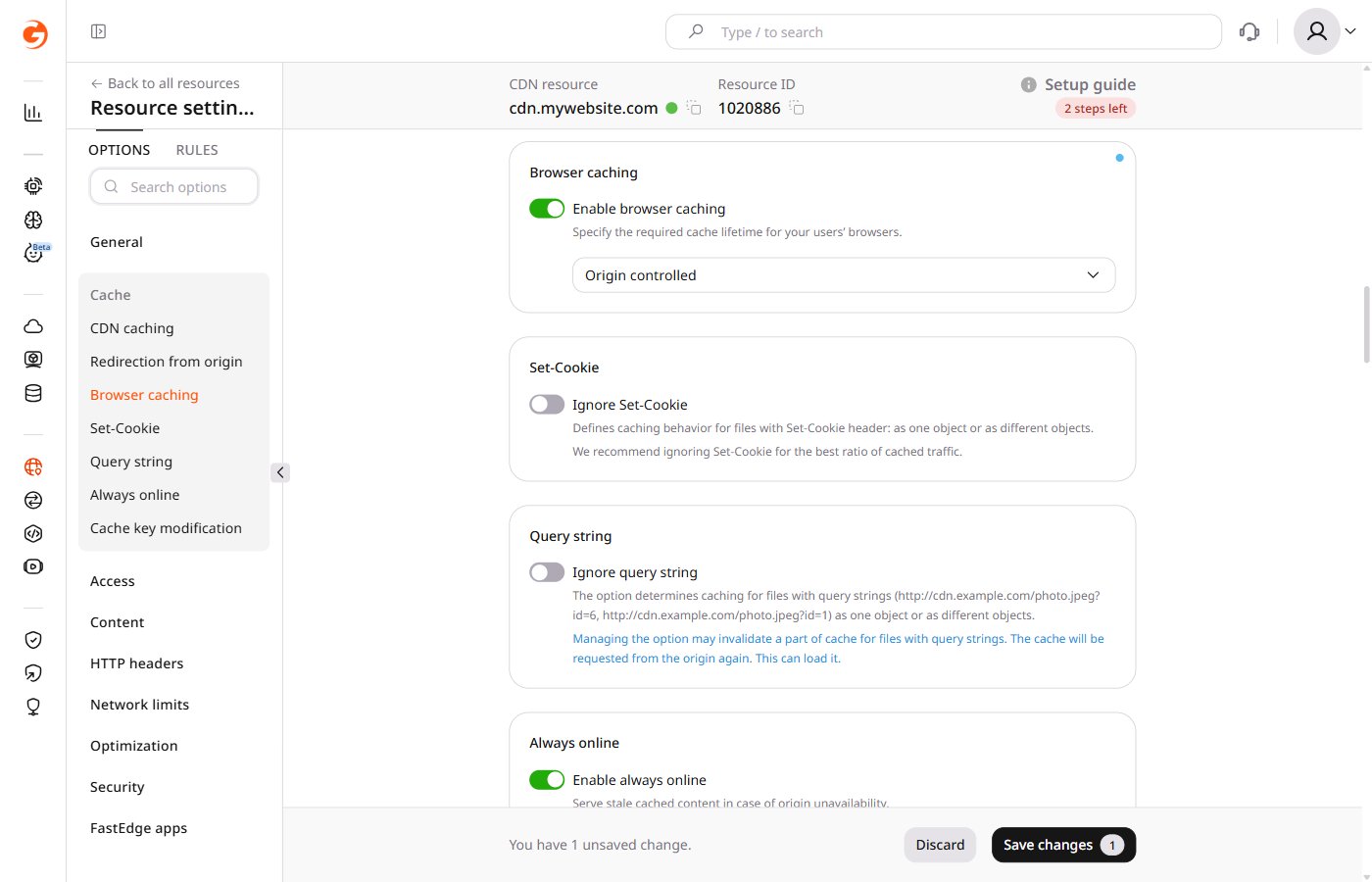 Turn on the **Enable browser caching** toggle.
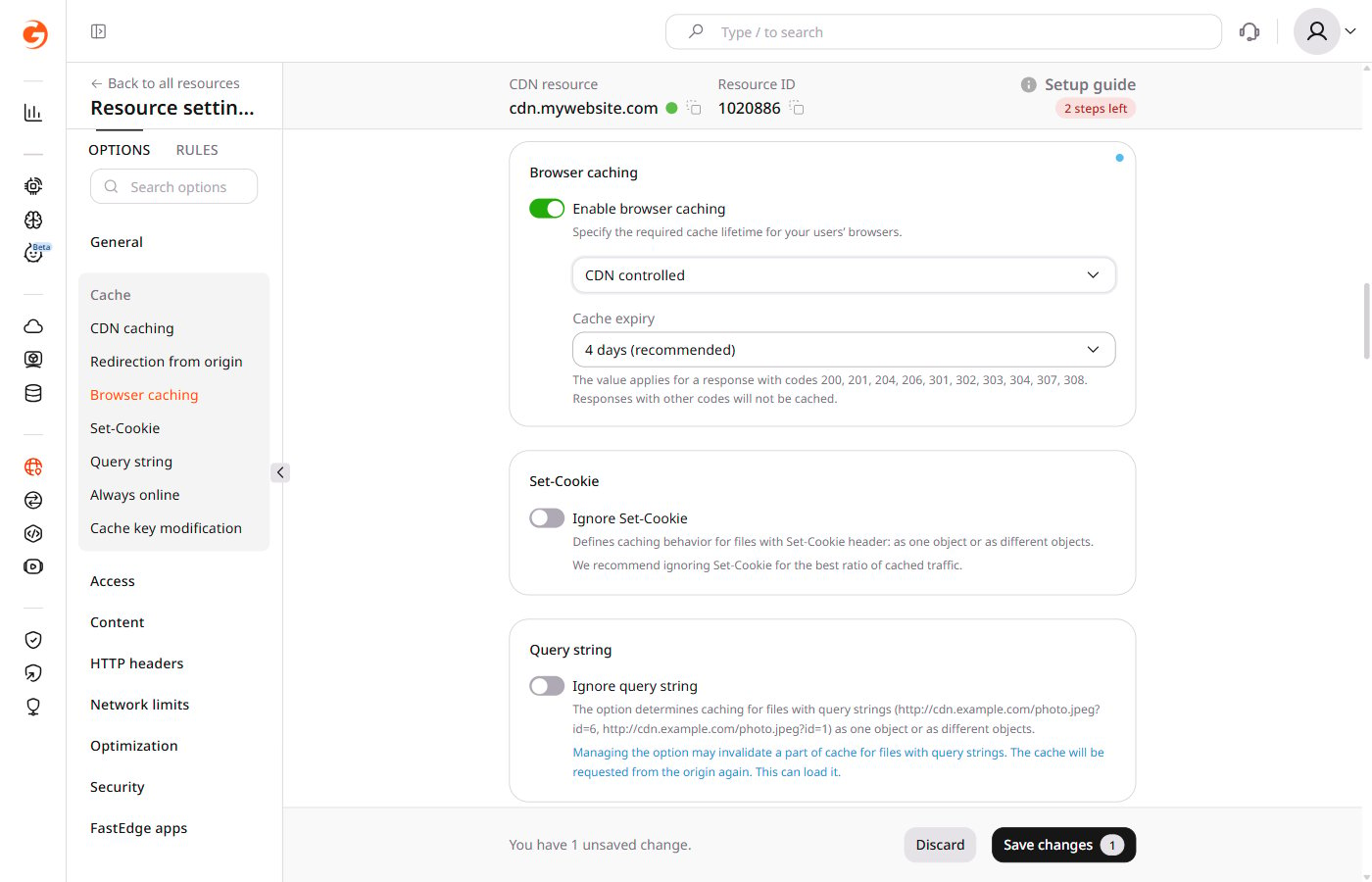
From the dropdown, select **Origin controlled** or **CDN controlled**. If Origin controlled is selected, the configuration is complete — proceed to save. For CDN controlled, configure the expiry using the expandable block.
From the list, select an expiry period. The recommended value is four days.
Turn on the **Enable browser caching** toggle.
From the dropdown, select **Origin controlled** or **CDN controlled**. If Origin controlled is selected, the configuration is complete — proceed to save. For CDN controlled, configure the expiry using the expandable block.
From the list, select an expiry period. The recommended value is four days.
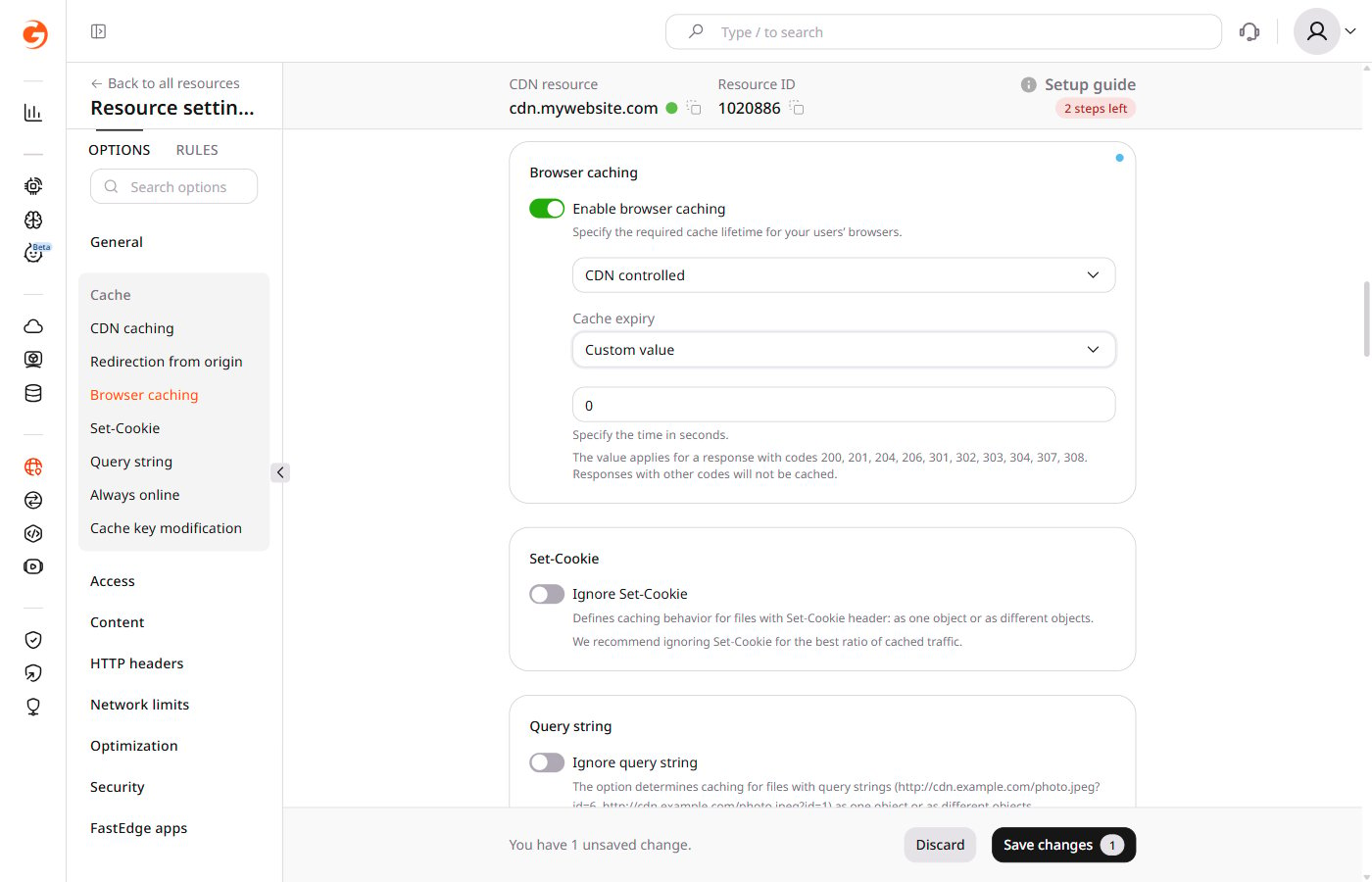
 To set a duration not in the list, select **Custom value** and enter the cache expiration time in seconds — to cache content for one day, enter `86400`.
 Click **Save changes**.