> ## Documentation Index
> Fetch the complete documentation index at: https://gcore-doc-1894.mintlify.site/llms.txt
> Use this file to discover all available pages before exploring further.
# Specify an origin and the origin pull protocol
The **Origin pull protocol** and **Pull content from** settings control how CDN servers fetch content from the origin. Both options are in the **General** section of the CDN resource settings.
## Origin pull protocol
In the [Gcore Customer Portal](https://portal.gcore.com), navigate to **CDN** > **Resources** and click the resource name. Open the **OPTIONS** tab and scroll to the **General** section.
Use the **Origin pull protocol** option to set the protocol that CDN servers use to pull content from an origin server: HTTP, HTTPS, or HTTP and HTTPS.
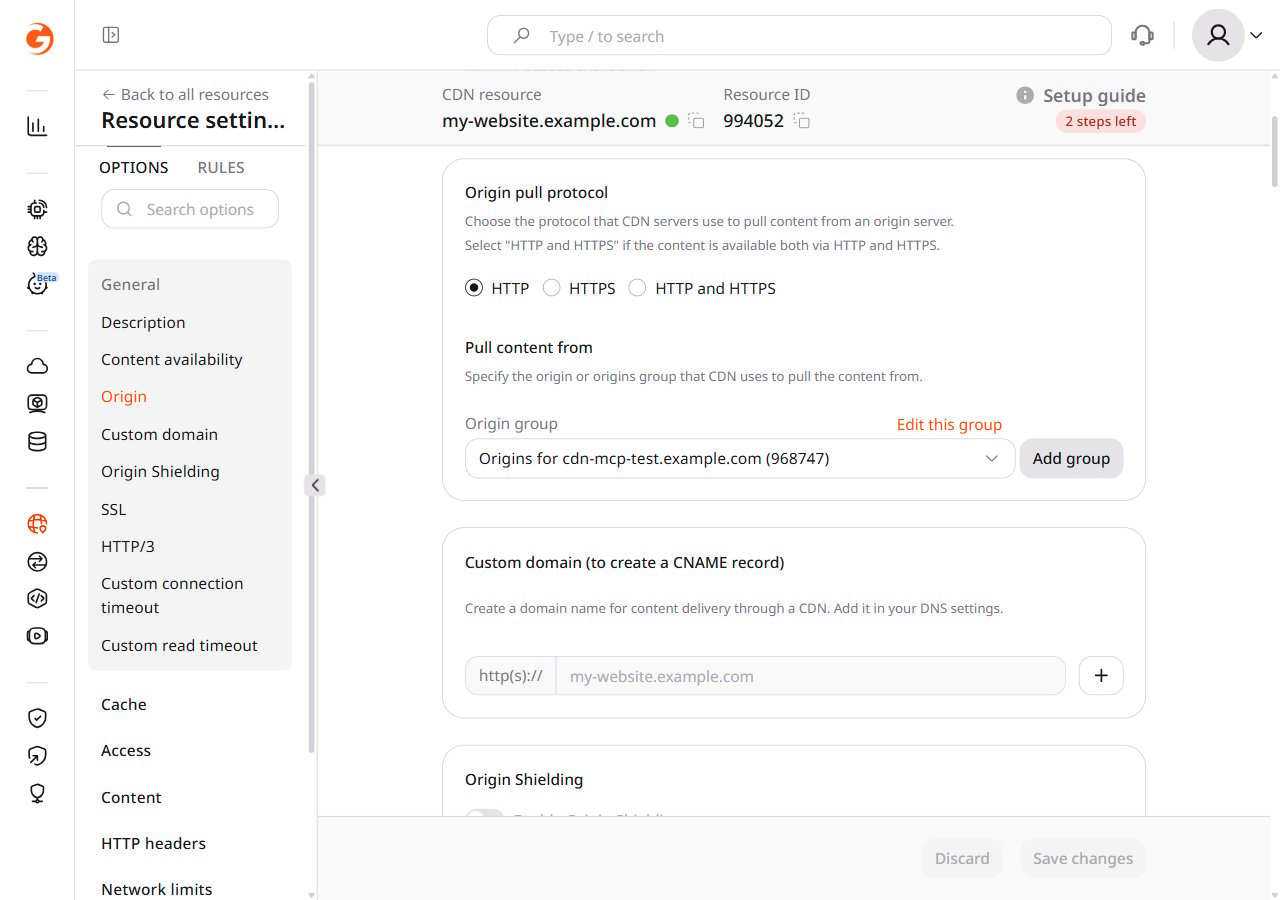 Select the origin pull protocol based on the protocol supported by the origin server:
1. **HTTP** — if the content on the origin server is available only via HTTP (port 80) or there is a redirect from HTTPS to HTTP on the origin server.
2. **HTTPS** — if the content on the origin server is available only via HTTPS (port 443) or there is a redirect from HTTP to HTTPS on the origin server.
3. **HTTP and HTTPS** — if the content on the origin server is available via both HTTPS and HTTP. A CDN server uses the protocol that matches the client's request:
* Files are cached for both protocols. There are two versions of the file in the cache: one for HTTP and one for HTTPS.
* When a user sends a request to `https://cdn.example.com/image.jpg`, the CDN pulls from the origin through HTTPS (port 443).
* When a user sends a request to `http://cdn.example.com/image.jpg`, the CDN pulls from the origin through HTTP (port 80).
To understand the effect of an incorrect value, consider this example:
The origin server delivers content only through HTTPS (port 443), but **Origin pull protocol** is set to HTTP.
1. **Origin redirects from HTTP to HTTPS**
1. A user requests content at `http://cdn.example.com/image.jpg`.
2. The CDN pulls from the origin at `http://example.com/image.jpg`.
3. The origin redirects to `https://example.com/image.jpg`.
Conclusion: the user gets content from the origin, not from the CDN. Set the protocol to HTTPS to have content delivered through the CDN.
2. **Origin does not redirect from HTTP to HTTPS**
1. A user requests content at `http://cdn.example.com/image.jpg`.
2. The CDN pulls from the origin at `http://example.com/image.jpg`.
Conclusion: the origin cannot provide content because it only accepts `https://example.com/image.jpg`. Set the protocol to HTTPS to have content delivered through the CDN.
## Pull content from
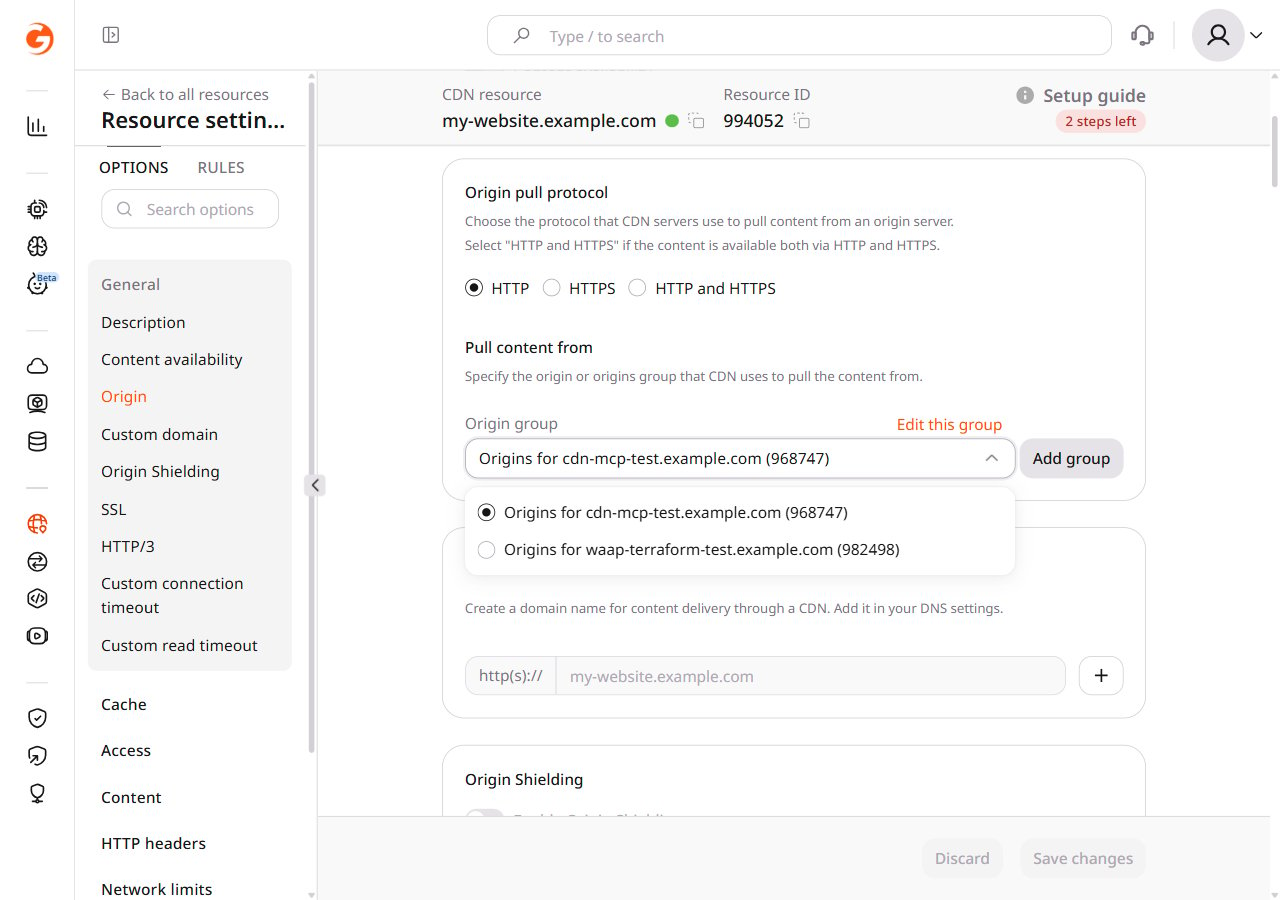
Use the **Pull content from** section to specify the origin group that the CDN uses to pull content. The origin can be an IP address or a domain name.
To change the current [origin group](/cdn/add-an-origin-group), click **Edit this group**.
To add a new origin group, click **Add group**. After the group is created, select it from the origin group dropdown — it is not assigned to the resource automatically.
Select the origin pull protocol based on the protocol supported by the origin server:
1. **HTTP** — if the content on the origin server is available only via HTTP (port 80) or there is a redirect from HTTPS to HTTP on the origin server.
2. **HTTPS** — if the content on the origin server is available only via HTTPS (port 443) or there is a redirect from HTTP to HTTPS on the origin server.
3. **HTTP and HTTPS** — if the content on the origin server is available via both HTTPS and HTTP. A CDN server uses the protocol that matches the client's request:
* Files are cached for both protocols. There are two versions of the file in the cache: one for HTTP and one for HTTPS.
* When a user sends a request to `https://cdn.example.com/image.jpg`, the CDN pulls from the origin through HTTPS (port 443).
* When a user sends a request to `http://cdn.example.com/image.jpg`, the CDN pulls from the origin through HTTP (port 80).
To understand the effect of an incorrect value, consider this example:
The origin server delivers content only through HTTPS (port 443), but **Origin pull protocol** is set to HTTP.
1. **Origin redirects from HTTP to HTTPS**
1. A user requests content at `http://cdn.example.com/image.jpg`.
2. The CDN pulls from the origin at `http://example.com/image.jpg`.
3. The origin redirects to `https://example.com/image.jpg`.
Conclusion: the user gets content from the origin, not from the CDN. Set the protocol to HTTPS to have content delivered through the CDN.
2. **Origin does not redirect from HTTP to HTTPS**
1. A user requests content at `http://cdn.example.com/image.jpg`.
2. The CDN pulls from the origin at `http://example.com/image.jpg`.
Conclusion: the origin cannot provide content because it only accepts `https://example.com/image.jpg`. Set the protocol to HTTPS to have content delivered through the CDN.
## Pull content from
Use the **Pull content from** section to specify the origin group that the CDN uses to pull content. The origin can be an IP address or a domain name.
To change the current [origin group](/cdn/add-an-origin-group), click **Edit this group**.
To add a new origin group, click **Add group**. After the group is created, select it from the origin group dropdown — it is not assigned to the resource automatically.