> ## Documentation Index
> Fetch the complete documentation index at: https://gcore-doc-1894.mintlify.site/llms.txt
> Use this file to discover all available pages before exploring further.

# Specify HTTP headers that CDN adds to requests to the origin

Use the Request Headers option to add custom HTTP headers to CDN requests before they reach the origin.

To configure request headers via the Gcore Customer Portal:

1. Navigate to **CDN** > **CDN resources** and click the CDN resource you want to configure.
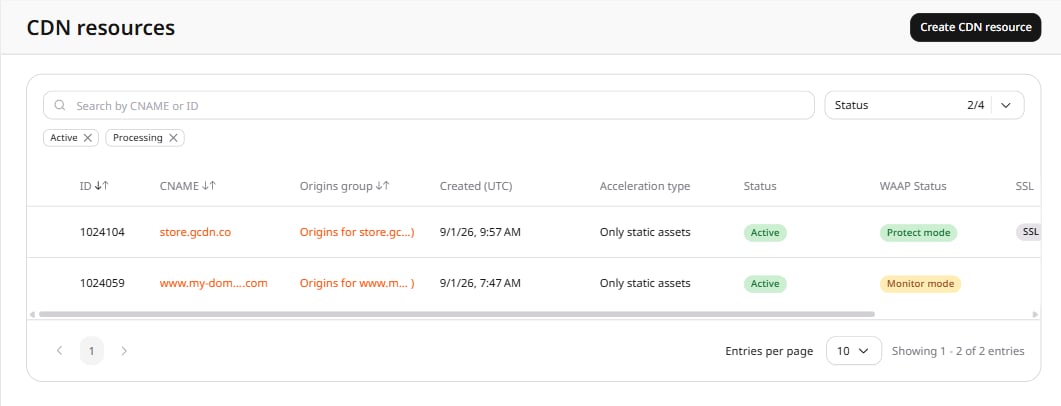
<Frame>
  <img src="https://mintcdn.com/gcore-doc-1894/D4afn3gx_zp92kAa/images/docs/cdn/cdn-resource-options/http-headers/specify-http-headers-that-cdn-adds-to-requests-to-the-origin/specify-http-headers-that-cdn-adds-to-requests-to-the-origin-image1.png?fit=max&auto=format&n=D4afn3gx_zp92kAa&q=85&s=6b7280a969484f034c51f983291be942" alt="CDN resources list showing active resources" width="1061" height="406" data-path="images/docs/cdn/cdn-resource-options/http-headers/specify-http-headers-that-cdn-adds-to-requests-to-the-origin/specify-http-headers-that-cdn-adds-to-requests-to-the-origin-image1.png" />
</Frame>

2. In the resource settings panel, click **HTTP headers** to expand the section, then click **Request headers**.
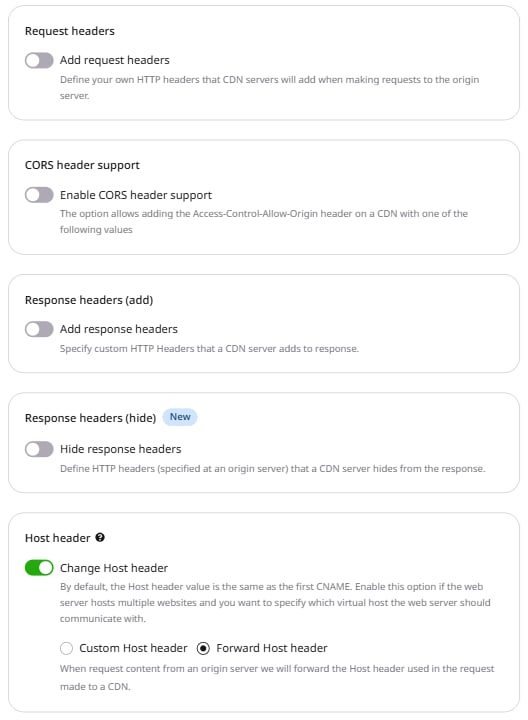
<Frame>
  <img src="https://mintcdn.com/gcore-doc-1894/D4afn3gx_zp92kAa/images/docs/cdn/cdn-resource-options/http-headers/specify-http-headers-that-cdn-adds-to-requests-to-the-origin/specify-http-headers-that-cdn-adds-to-requests-to-the-origin-image2.png?fit=max&auto=format&n=D4afn3gx_zp92kAa&q=85&s=2cc5f440b70177dc5814f6e0c0b4ef36" alt="HTTP headers section expanded in the left panel with Request headers active" width="528" height="720" data-path="images/docs/cdn/cdn-resource-options/http-headers/specify-http-headers-that-cdn-adds-to-requests-to-the-origin/specify-http-headers-that-cdn-adds-to-requests-to-the-origin-image2.png" />
</Frame>

3. Enable the **Add request headers** toggle.
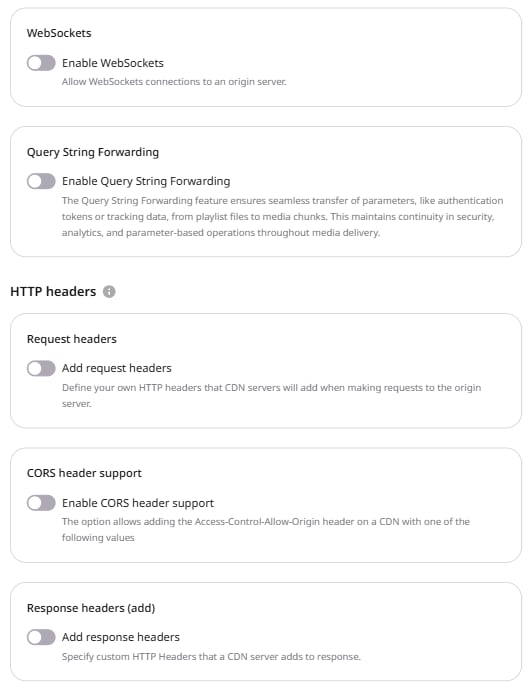
<Frame>
  <img src="https://mintcdn.com/gcore-doc-1894/D4afn3gx_zp92kAa/images/docs/cdn/cdn-resource-options/http-headers/specify-http-headers-that-cdn-adds-to-requests-to-the-origin/specify-http-headers-that-cdn-adds-to-requests-to-the-origin-image3.png?fit=max&auto=format&n=D4afn3gx_zp92kAa&q=85&s=0e7a3c78915a4e8bfcc94fb52462c888" alt="Resource settings OPTIONS tab showing the HTTP headers section with the Add request headers toggle" width="529" height="694" data-path="images/docs/cdn/cdn-resource-options/http-headers/specify-http-headers-that-cdn-adds-to-requests-to-the-origin/specify-http-headers-that-cdn-adds-to-requests-to-the-origin-image3.png" />
</Frame>

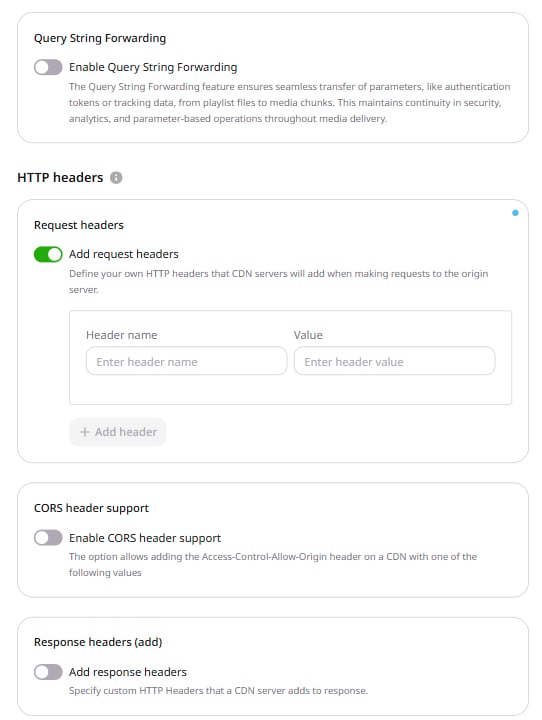
4. In the form that appears, enter the name and value for the request header.

   * **Header name**: Accepts letters (A-Z, a-z), numbers (0-9), dashes (-), and underscores (\_).
   * **Value**: Accepts letters (A-Z, a-z), numbers (0-9), dashes (-), underscores (\_), slashes (/), colons (:), equals (=), dots (.), and spaces.

<Info>The Value field accepts spaces between words but cannot begin or end with a space.</Info>

<Frame>
  <img src="https://mintcdn.com/gcore-doc-1894/D4afn3gx_zp92kAa/images/docs/cdn/cdn-resource-options/http-headers/specify-http-headers-that-cdn-adds-to-requests-to-the-origin/specify-http-headers-that-cdn-adds-to-requests-to-the-origin-image4.png?fit=max&auto=format&n=D4afn3gx_zp92kAa&q=85&s=099d32de61e20a6c90d799a3b17bb509" alt="Request headers form with Header name and Value fields and the + Add header button" width="542" height="720" data-path="images/docs/cdn/cdn-resource-options/http-headers/specify-http-headers-that-cdn-adds-to-requests-to-the-origin/specify-http-headers-that-cdn-adds-to-requests-to-the-origin-image4.png" />
</Frame>

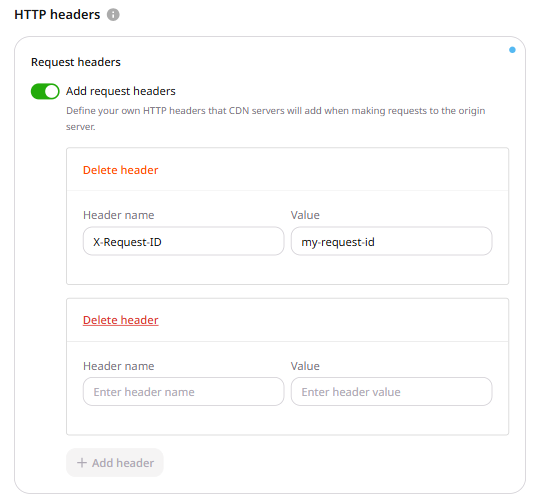
5. To add more headers, click **+ Add header** and repeat step 4.
<Frame>
  <img src="https://mintcdn.com/gcore-doc-1894/D4afn3gx_zp92kAa/images/docs/cdn/cdn-resource-options/http-headers/specify-http-headers-that-cdn-adds-to-requests-to-the-origin/specify-http-headers-that-cdn-adds-to-requests-to-the-origin-image5.png?fit=max&auto=format&n=D4afn3gx_zp92kAa&q=85&s=aa0aa5a5f6ac2a8f2ab89f8c5fd40eda" alt="Multiple request header rows with filled Header name and Value fields" width="540" height="502" data-path="images/docs/cdn/cdn-resource-options/http-headers/specify-http-headers-that-cdn-adds-to-requests-to-the-origin/specify-http-headers-that-cdn-adds-to-requests-to-the-origin-image5.png" />
</Frame>

6. Click **Save changes**.