> ## Documentation Index
> Fetch the complete documentation index at: https://gcore-doc-1894.mintlify.site/llms.txt
> Use this file to discover all available pages before exploring further.
# Allow permanent connections with the origin
WebSockets is a CDN resource option that proxies WebSocket connections to the origin server, maintaining them for the full duration of a session. It is suitable for real-time applications — chat, gaming, live data feeds, and collaborative tools — that require a continuous data channel.
## WebSocket overview
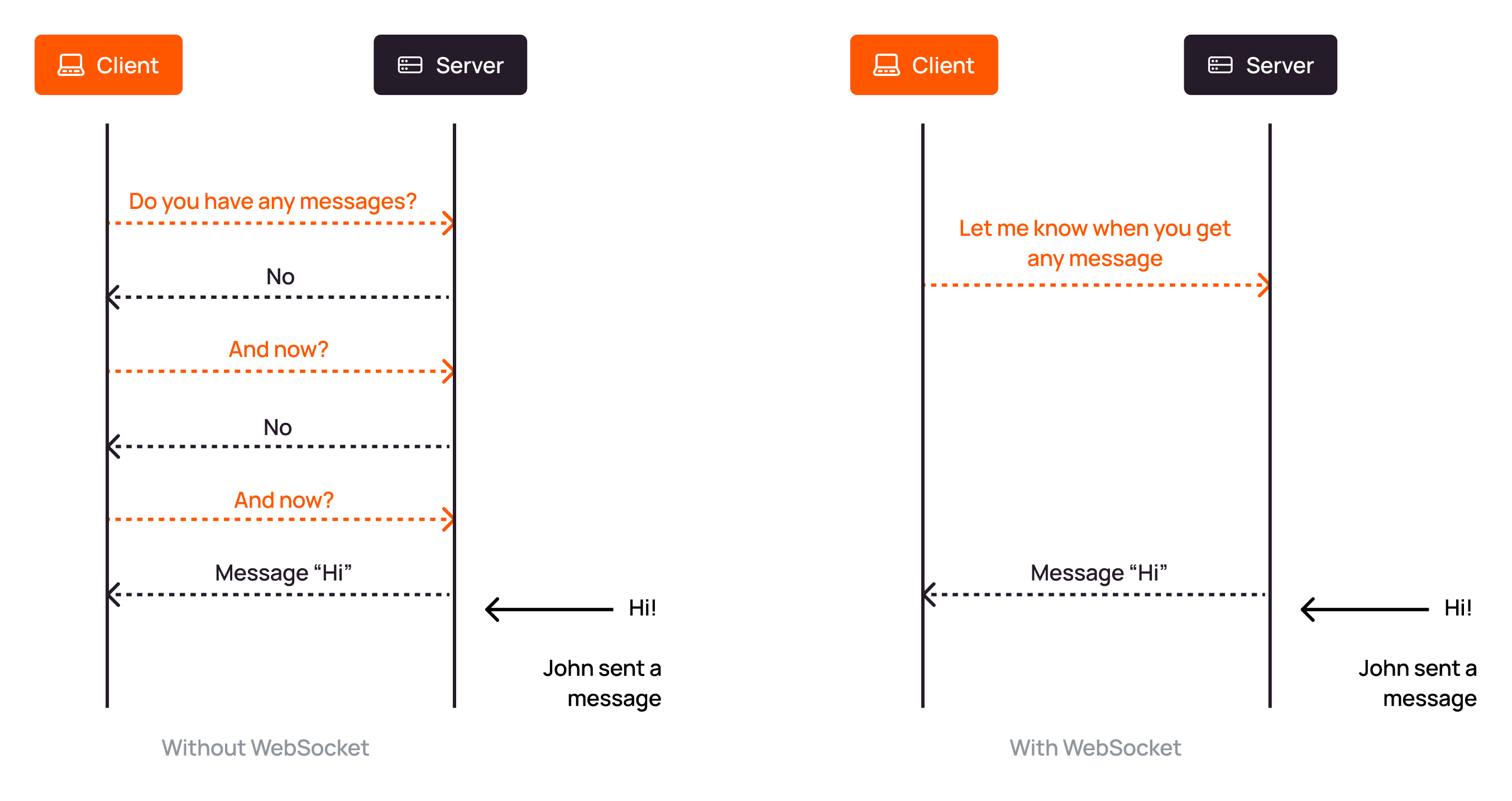
WebSocket is a TCP-based protocol that establishes a persistent, bidirectional connection between client and server. Unlike HTTP, which opens a new connection for every request and closes it after the server responds, a WebSocket connection stays open until either party terminates it — allowing data to flow in both directions at any time.
 ## Default behavior
By default:
* WebSocket is enabled for CDN resources using DNS delegation.
* WebSocket is disabled for CNAME-based CDN resources.
Both setup types are described in the [CDN resource guide](/cdn/getting-started/create-a-cdn-resource/create-a-cdn-resource).
## Enable or disable WebSockets
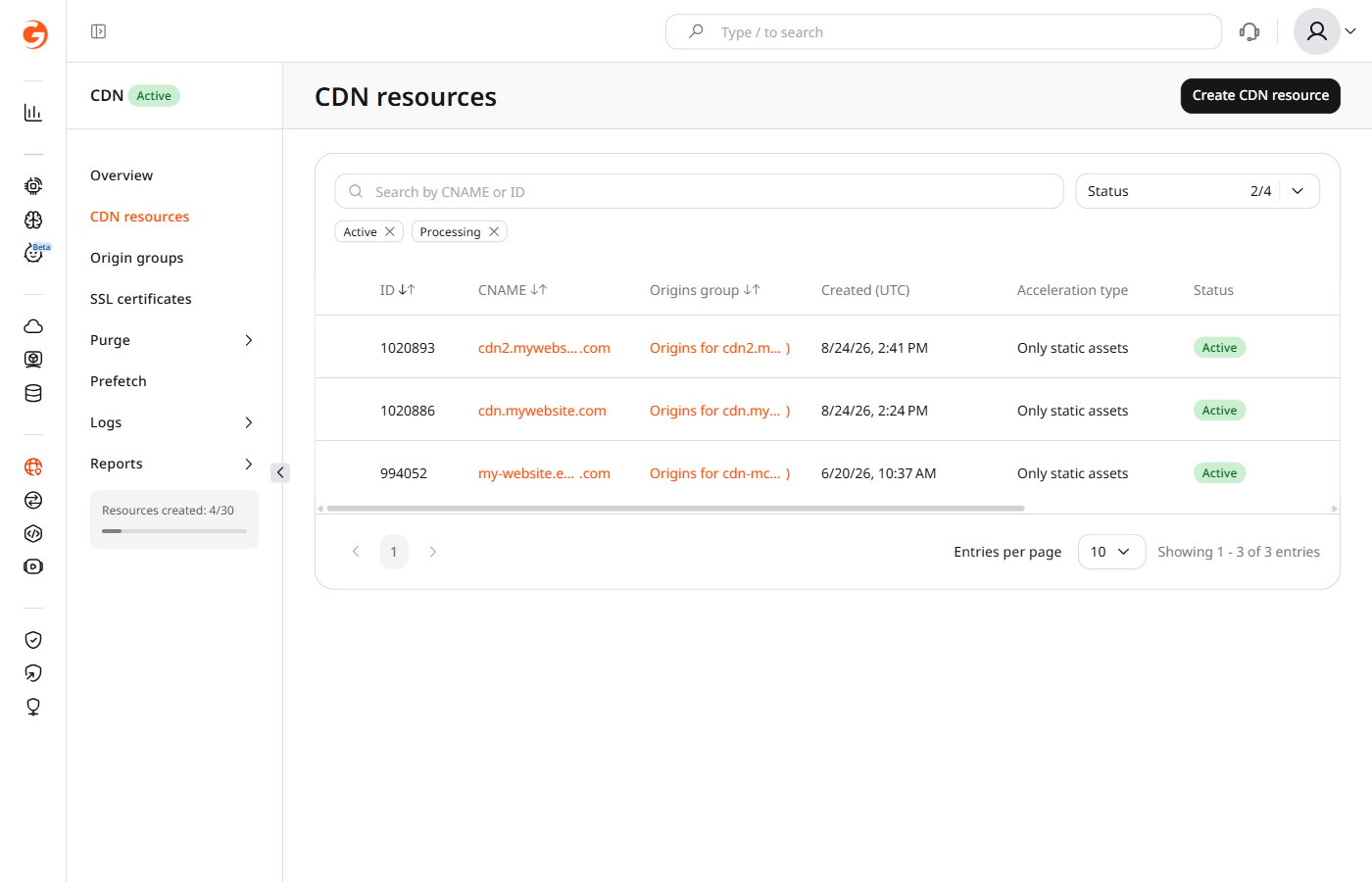
1. Navigate to **CDN** in the [Gcore Customer Portal](https://portal.gcore.com) and click the custom domain of the target resource.
## Default behavior
By default:
* WebSocket is enabled for CDN resources using DNS delegation.
* WebSocket is disabled for CNAME-based CDN resources.
Both setup types are described in the [CDN resource guide](/cdn/getting-started/create-a-cdn-resource/create-a-cdn-resource).
## Enable or disable WebSockets
1. Navigate to **CDN** in the [Gcore Customer Portal](https://portal.gcore.com) and click the custom domain of the target resource.
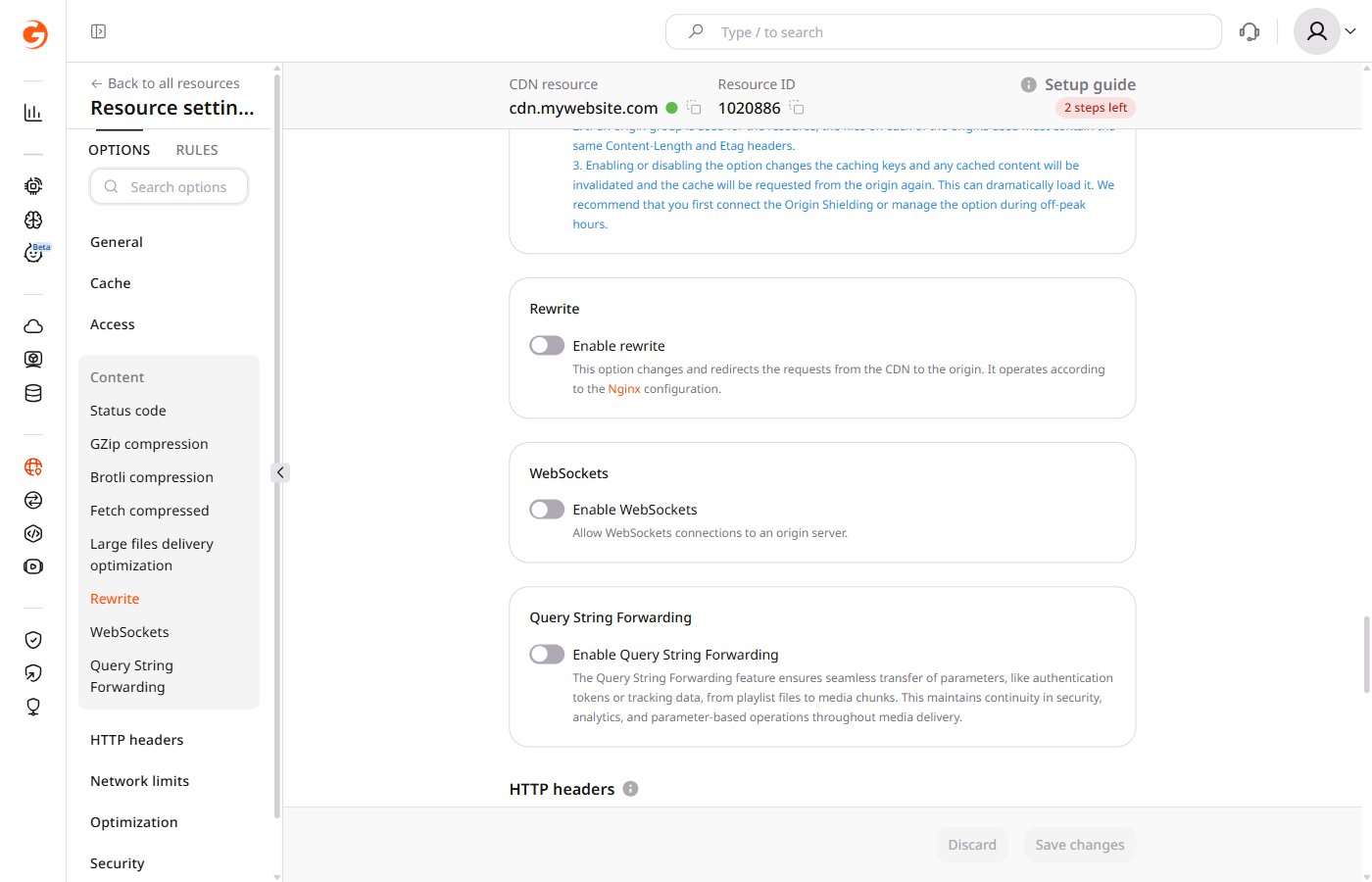
 2. In the **Content** section, find **WebSockets** and enable or disable the toggle.
 3. Click **Save changes**.
## Keep connections alive
WebSocket connections may be closed after a period of inactivity by the CDN or by intermediate network components. To prevent unexpected disconnections during idle periods, implement a client-side heartbeat — have the client send a ping frame at a regular interval and confirm receipt of the server's pong response.
3. Click **Save changes**.
## Keep connections alive
WebSocket connections may be closed after a period of inactivity by the CDN or by intermediate network components. To prevent unexpected disconnections during idle periods, implement a client-side heartbeat — have the client send a ping frame at a regular interval and confirm receipt of the server's pong response.