> ## Documentation Index
> Fetch the complete documentation index at: https://gcore-doc-1894.mintlify.site/llms.txt
> Use this file to discover all available pages before exploring further.
# About GPU Cloud
GPU Cloud provides dedicated compute infrastructure for machine learning workloads. Use GPU clusters to train models, run inference, and process large-scale AI tasks.
## GPU clusters
A GPU cluster is a group of interconnected servers, each equipped with multiple high-performance GPUs. Clusters run workloads that require massive parallel processing: training large language models (LLMs), fine-tuning foundation models, running inference at scale, and high-performance computing (HPC).
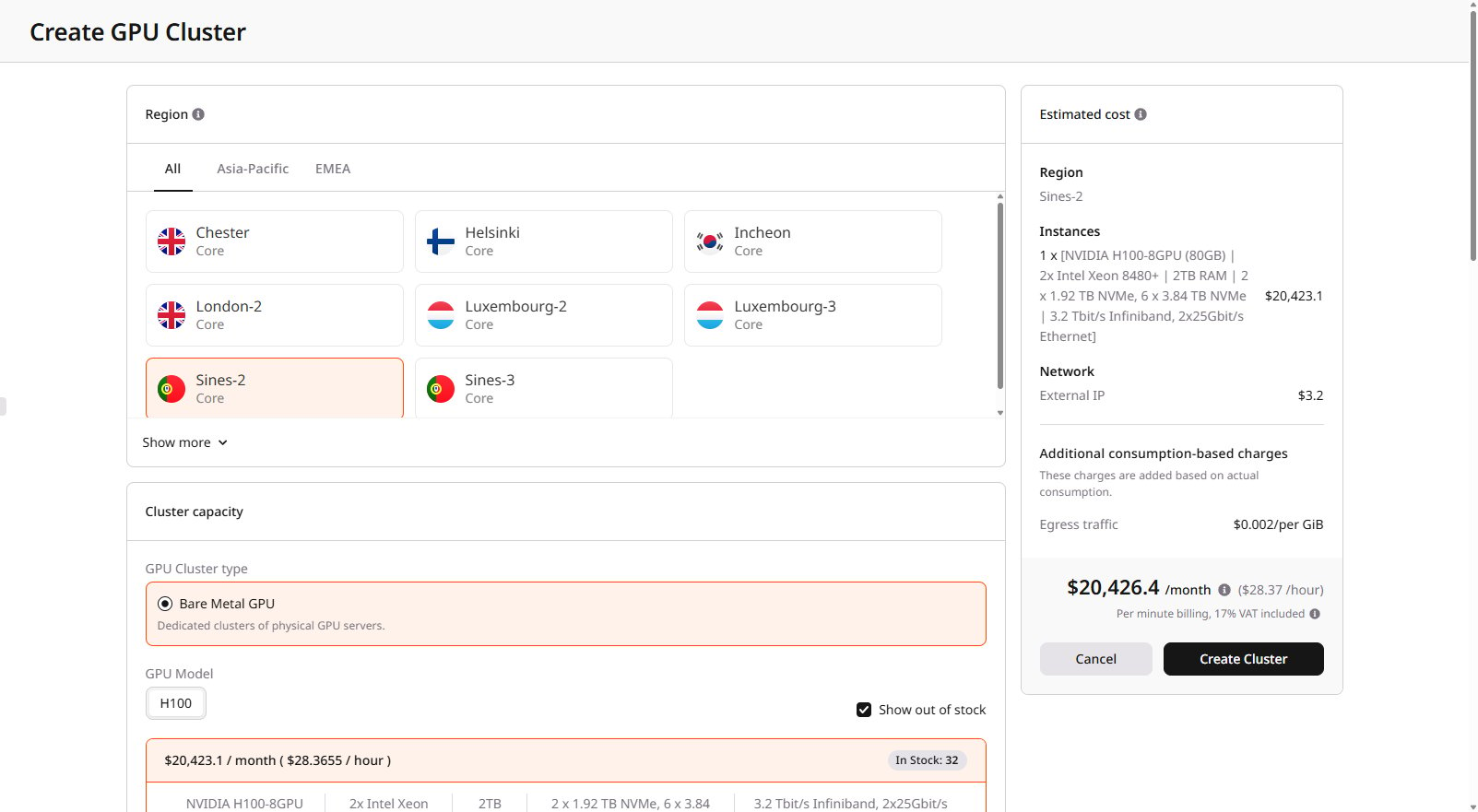 All nodes in a cluster share the same configuration: operating system image, network settings, and storage mounts. This ensures consistent behavior across the cluster.
## Cluster types
Gcore offers three types of GPU clusters:
| Type | Description | Best for |
| ------------------- | ------------------------------------------------------------------------------------------------------------------------------------------------------------------------------- | -------------------------------------------------------------------------------------- |
| Bare Metal GPU | Dedicated physical servers with guaranteed resources. No virtualization overhead | Production workloads, long-running training jobs, and latency-sensitive inference |
| Spot Bare Metal GPU | Same hardware as Bare Metal, but at a reduced price (up to 50% discount). Instances can be preempted with a 24-hour notice when capacity is needed | Fault-tolerant training with checkpointing, batch processing, development, and testing |
| Virtual GPU | Virtualized GPU instances with flexible resource management. Supports flavor changes and cost optimization through shelving (powering off releases resources and stops billing) | Development environments, variable workloads, cost-sensitive projects |
Clusters can scale to hundreds of nodes. Production deployments with 250+ nodes in a single cluster are supported, limited only by regional stock availability.
## Available configurations
Select a configuration based on workload requirements:
| Configuration | GPUs | Interconnect | RAM | Storage | Use case |
| ----------------------- | -------------------- | --------------------------------------------- | --- | -------------------- | ------------------------------------------------------------------------------ |
| H200 with InfiniBand | 8x NVIDIA H200 141GB | 3.2 Tbit/s InfiniBand, 2x 200 Gbit/s Ethernet | 2TB | 6x 3.84TB NVMe | Distributed LLM training with the latest GPU generation |
| H100 with InfiniBand | 8x NVIDIA H100 80GB | 3.2 Tbit/s InfiniBand | 2TB | up to 8x 3.84TB NVMe | Distributed LLM training requiring high-speed inter-node communication |
| A100 with InfiniBand | 8x NVIDIA A100 80GB | 800 Gbit/s InfiniBand | 2TB | 8x 3.84TB NVMe | Multi-node ML training and HPC workloads |
| A100 without InfiniBand | 8x NVIDIA A100 80GB | 2x 100 Gbit/s Ethernet | 2TB | 8x 3.84TB NVMe | Single-node training, inference for large models requiring more than 48GB VRAM |
| L40S | 8x NVIDIA L40S | 2x 25 Gbit/s Ethernet | 2TB | 4x 7.68TB NVMe | Inference, fine-tuning small to medium models requiring less than 48GB VRAM |
Outbound data transfer (egress) from GPU clusters is free. Other costs are covered in [GPU Cloud billing](/edge-ai/billing).
Configurations with [InfiniBand](/edge-ai/networking/about-infiniband) are configured automatically at cluster creation — all nodes join the same InfiniBand domain with no manual setup required.
## Storage options
GPU clusters support two storage types:
| Storage type | Persistence | Performance | Use case |
| ------------ | ----------------------------------- | --------------------------------------------------- | ------------------------------------------------ |
| Local NVMe | Temporary (deleted with cluster) | Highest IOPS, lowest latency | Training data cache, checkpoints during training |
| File shares | Persistent (independent of cluster) | Network-attached, lower latency than object storage | Datasets, model weights, shared checkpoints |
## Cluster lifecycle
1. **Create**: Select region, GPU type, number of nodes, image, and network settings. Create a [Bare Metal GPU](/edge-ai/ai-infrastructure/create-a-bare-metal-gpu-cluster) cluster or a [Virtual GPU](/edge-ai/ai-infrastructure/create-a-virtual-gpu-cluster) cluster.
2. **Configure**: Connect via SSH to each node, install required dependencies, and mount file shares to prepare the environment for workloads.
3. **Run workloads**: Execute training jobs, run inference services, process data.
4. **Resize**: Add or remove nodes on demand — new nodes inherit the cluster configuration.
5. **Delete**: Remove the cluster when no longer needed. Local storage is erased; file shares and network disks can be preserved.
## GPU cluster characteristics
* Provisioning takes 15–40 minutes
* The configuration (image, network, and storage) is fixed at creation and cannot be changed afterward
* Local NVMe storage is temporary — store critical data in persistent file shares
* Spot clusters can be interrupted with a 24-hour notice
* Available regional capacity determines cluster size
* Servers equipped with BlueField network cards support hardware firewalls
* Use a single GPU server for development or smaller workloads; use a cluster for large models, distributed training, or high-scale inference
After connecting to a node via SSH, run `nvidia-smi` to confirm GPU availability and `ibstat` to verify InfiniBand connectivity.
All nodes in a cluster share the same configuration: operating system image, network settings, and storage mounts. This ensures consistent behavior across the cluster.
## Cluster types
Gcore offers three types of GPU clusters:
| Type | Description | Best for |
| ------------------- | ------------------------------------------------------------------------------------------------------------------------------------------------------------------------------- | -------------------------------------------------------------------------------------- |
| Bare Metal GPU | Dedicated physical servers with guaranteed resources. No virtualization overhead | Production workloads, long-running training jobs, and latency-sensitive inference |
| Spot Bare Metal GPU | Same hardware as Bare Metal, but at a reduced price (up to 50% discount). Instances can be preempted with a 24-hour notice when capacity is needed | Fault-tolerant training with checkpointing, batch processing, development, and testing |
| Virtual GPU | Virtualized GPU instances with flexible resource management. Supports flavor changes and cost optimization through shelving (powering off releases resources and stops billing) | Development environments, variable workloads, cost-sensitive projects |
Clusters can scale to hundreds of nodes. Production deployments with 250+ nodes in a single cluster are supported, limited only by regional stock availability.
## Available configurations
Select a configuration based on workload requirements:
| Configuration | GPUs | Interconnect | RAM | Storage | Use case |
| ----------------------- | -------------------- | --------------------------------------------- | --- | -------------------- | ------------------------------------------------------------------------------ |
| H200 with InfiniBand | 8x NVIDIA H200 141GB | 3.2 Tbit/s InfiniBand, 2x 200 Gbit/s Ethernet | 2TB | 6x 3.84TB NVMe | Distributed LLM training with the latest GPU generation |
| H100 with InfiniBand | 8x NVIDIA H100 80GB | 3.2 Tbit/s InfiniBand | 2TB | up to 8x 3.84TB NVMe | Distributed LLM training requiring high-speed inter-node communication |
| A100 with InfiniBand | 8x NVIDIA A100 80GB | 800 Gbit/s InfiniBand | 2TB | 8x 3.84TB NVMe | Multi-node ML training and HPC workloads |
| A100 without InfiniBand | 8x NVIDIA A100 80GB | 2x 100 Gbit/s Ethernet | 2TB | 8x 3.84TB NVMe | Single-node training, inference for large models requiring more than 48GB VRAM |
| L40S | 8x NVIDIA L40S | 2x 25 Gbit/s Ethernet | 2TB | 4x 7.68TB NVMe | Inference, fine-tuning small to medium models requiring less than 48GB VRAM |
Outbound data transfer (egress) from GPU clusters is free. Other costs are covered in [GPU Cloud billing](/edge-ai/billing).
Configurations with [InfiniBand](/edge-ai/networking/about-infiniband) are configured automatically at cluster creation — all nodes join the same InfiniBand domain with no manual setup required.
## Storage options
GPU clusters support two storage types:
| Storage type | Persistence | Performance | Use case |
| ------------ | ----------------------------------- | --------------------------------------------------- | ------------------------------------------------ |
| Local NVMe | Temporary (deleted with cluster) | Highest IOPS, lowest latency | Training data cache, checkpoints during training |
| File shares | Persistent (independent of cluster) | Network-attached, lower latency than object storage | Datasets, model weights, shared checkpoints |
## Cluster lifecycle
1. **Create**: Select region, GPU type, number of nodes, image, and network settings. Create a [Bare Metal GPU](/edge-ai/ai-infrastructure/create-a-bare-metal-gpu-cluster) cluster or a [Virtual GPU](/edge-ai/ai-infrastructure/create-a-virtual-gpu-cluster) cluster.
2. **Configure**: Connect via SSH to each node, install required dependencies, and mount file shares to prepare the environment for workloads.
3. **Run workloads**: Execute training jobs, run inference services, process data.
4. **Resize**: Add or remove nodes on demand — new nodes inherit the cluster configuration.
5. **Delete**: Remove the cluster when no longer needed. Local storage is erased; file shares and network disks can be preserved.
## GPU cluster characteristics
* Provisioning takes 15–40 minutes
* The configuration (image, network, and storage) is fixed at creation and cannot be changed afterward
* Local NVMe storage is temporary — store critical data in persistent file shares
* Spot clusters can be interrupted with a 24-hour notice
* Available regional capacity determines cluster size
* Servers equipped with BlueField network cards support hardware firewalls
* Use a single GPU server for development or smaller workloads; use a cluster for large models, distributed training, or high-scale inference
After connecting to a node via SSH, run `nvidia-smi` to confirm GPU availability and `ibstat` to verify InfiniBand connectivity.