

Status codes in Log viewer
In the Gcore Customer Portal, navigate to CDN > Logs > Log viewer. Use Search by CNAME or ID, the time range, or Add filter. Delivery outcomes appear in the Status code column. The Log viewer stores the last 3 days of requests, with a maximum view interval of 6 hours.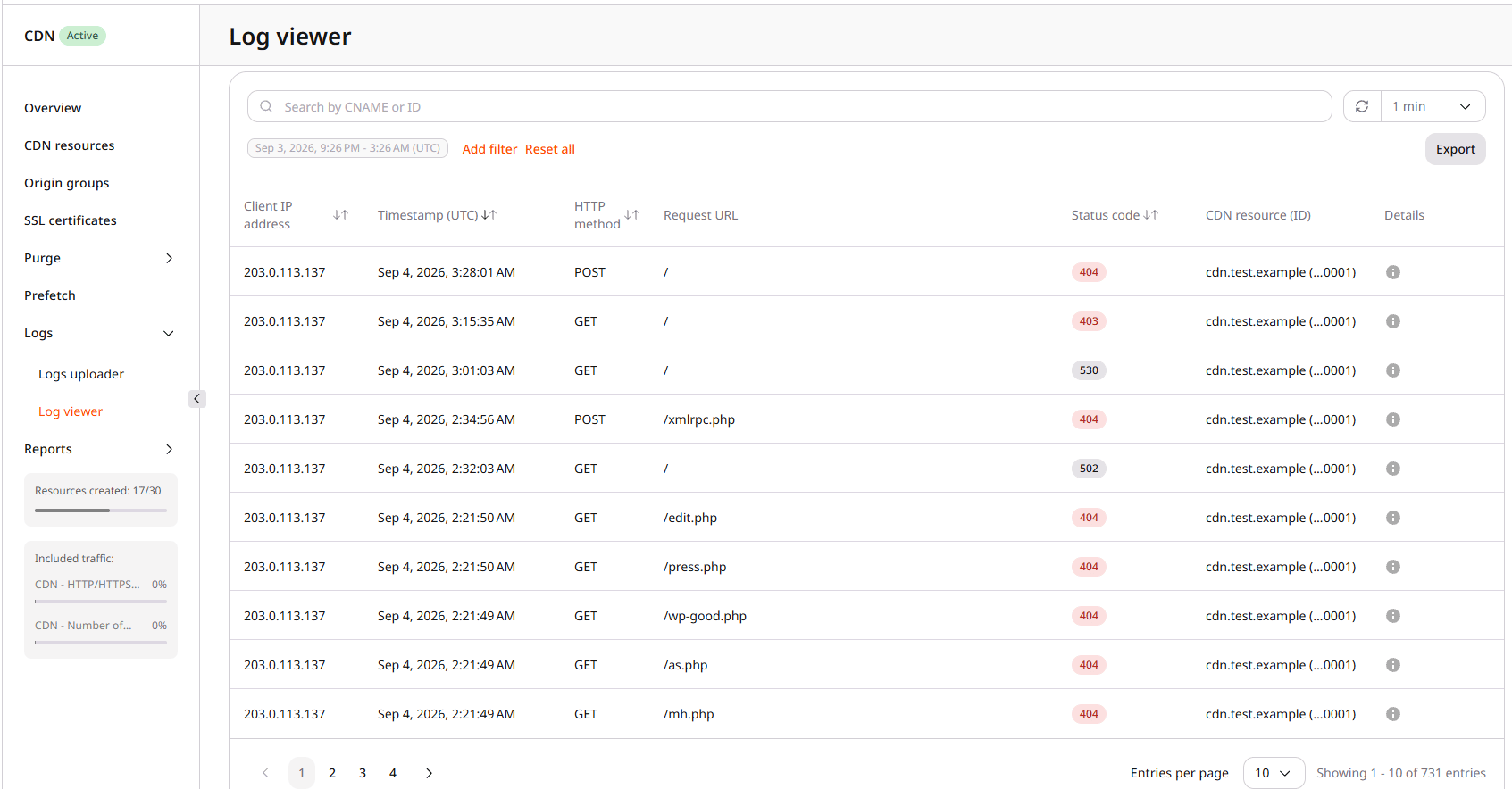
Error status codes
Status codes403, 404, and 410 each cover more than one cause. The tables list the cause, what it means, and how to resolve it.
403 errors
A403 can originate from the CDN or from the origin. CDN-side causes include a suspended resource, an access policy, and Secure Token validation failures. The table below covers the most common CDN causes.
Each policy supports an allow list or a block list in access policies.
410 errors
A410 from Gcore CDN means a Secure Token request was rejected because the token has expired, and the CDN resource is configured to return 410 for expired tokens. Resources configured to return 403 for the same condition will not produce 410.
404 errors
A404 can mean the origin has no object at that path. Some CDN options also return 404 when the origin fetch fails.
A missing object on the origin is the usual case:
These resource options can also produce
404 even when the path exists:
Other errors (402, 504, 508, 556, 557)
These additional codes each have a primary cause. A504 means the CDN did not get a timely origin response. A blocked origin ACL is one cause. Timeouts, an unreachable origin, or origin overload can produce the same code.
HLS and DASH 402 responses
Requests for HLS or DASH manifests and segments can return402 even when the files exist on the origin, because video delivery is not enabled yet.
TypeScript source files and 402
HLS media playlists often request MPEG Transport Stream segments with a.ts extension, so Gcore treats .ts as video delivery. Those requests can return 402 until streaming is enabled. The same extension is also used for TypeScript source files. If TypeScript files return 402, compile them to JavaScript (.js) before delivery. Renaming a .ts file to .js without compiling does not produce valid JavaScript. Alternatively, contact Gcore Support to review the CDN resource configuration.