

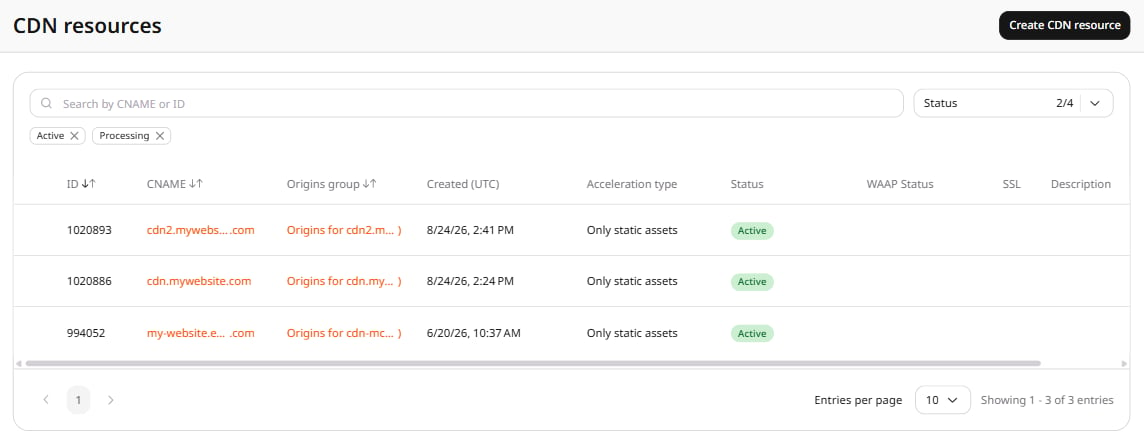
- In the Gcore Customer Portal, navigate to CDN. The CDN resources page opens.
- Click the CNAME of the resource to open its settings.
- Open the OPTIONS tab and scroll to the Access section. Click TLS versions in the left sidebar.
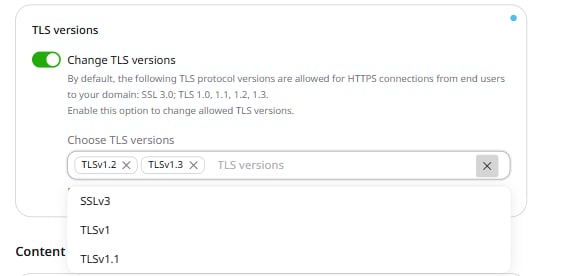
- Turn on the Change TLS versions toggle. The Choose TLS versions field appears, pre-populated with TLSv1.2 and TLSv1.3.
- Add or remove protocol versions as needed. To add a version, click the field and select from the dropdown. To remove a version, click × next to it.
- Click Save changes.