

- Log in to the Gcore Customer Portal and navigate to CDN > CDN resources. Open the resource.
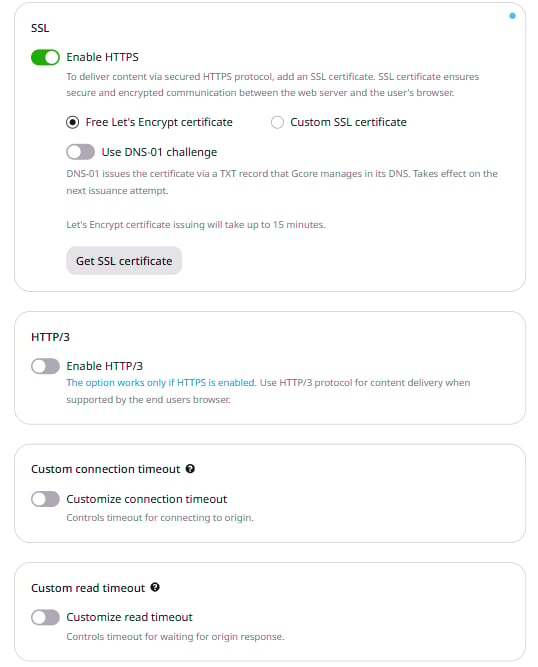
- On the OPTIONS tab, navigate to General > SSL.
-
If HTTPS isn’t enabled for the resource, turn on Enable HTTPS and select Free Let’s Encrypt certificate or Custom SSL certificate.
Let’s Encrypt issuance takes up to 15 minutes. Certificate setup is covered in SSL certificates.
- Navigate to Access > Redirect HTTP to HTTPS.
-
Turn on Enable redirect HTTP to HTTPS and click Save changes.
If the resource uses a custom CNAME, the SSL certificate must include that hostname.
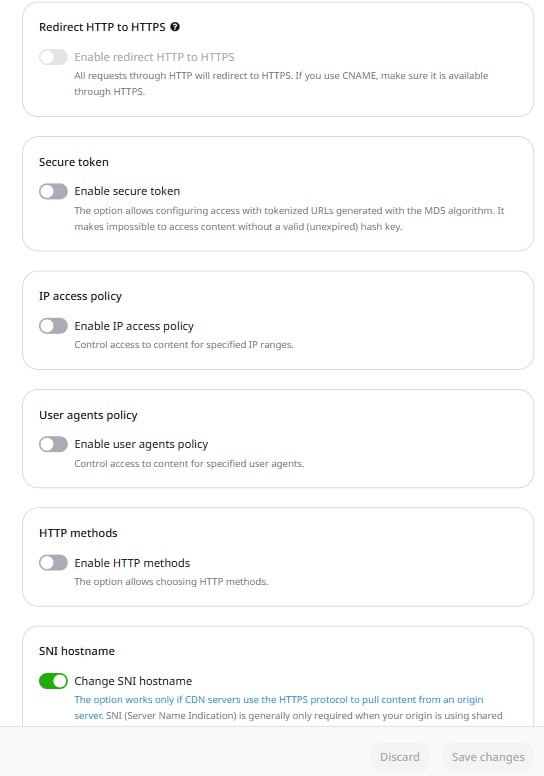
The Enable redirect HTTP to HTTPS toggle stays disabled until HTTPS is on and a certificate is present. Saving the option while HTTPS is off returns: