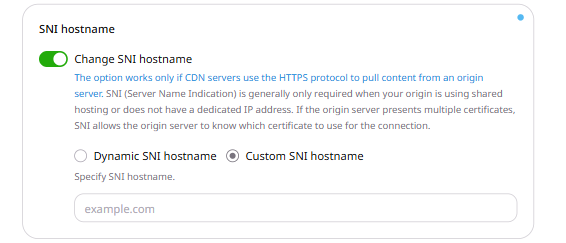
Server Name Indication (SNI) is a TLS extension that tells the origin server which hostname the CDN is connecting to during a TLS handshake. It allows an origin serving multiple hostnames over the same IP address to select the appropriate SSL certificate. The Change SNI hostname option controls this hostname. It is enabled by default on all CDN resources and takes effect only when CDN servers pull content from the origin over HTTPS. To configure the SNI hostname mode:
  1. Log in to the Gcore Customer Portal and navigate to CDN > CDN resources.
  2. Click the CNAME of the resource to open its settings.
  3. On the OPTIONS tab, scroll to the SNI hostname section and select a mode:
    • Dynamic SNI hostname (default) — the CDN uses the hostname set in the Change Host Header option.
    • Custom SNI hostname — enter a specific hostname in the Specify SNI hostname field. IP addresses are not accepted.
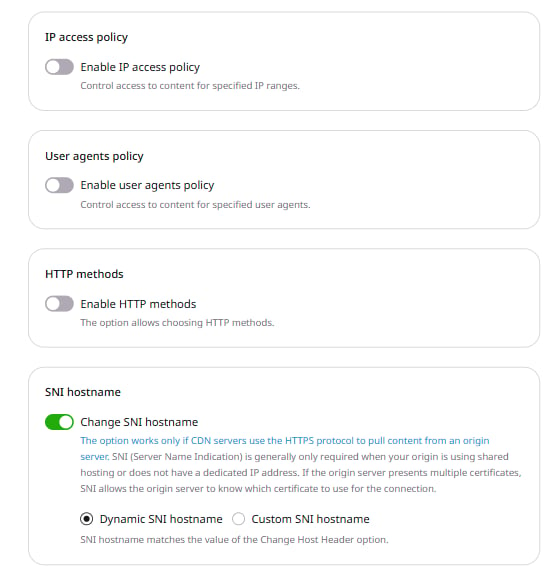
SNI hostname section with Dynamic SNI hostname selected
SNI hostname section with Custom SNI hostname selected and Specify SNI hostname input field visible
  1. Click Save changes.