X-Cache: Stale header.
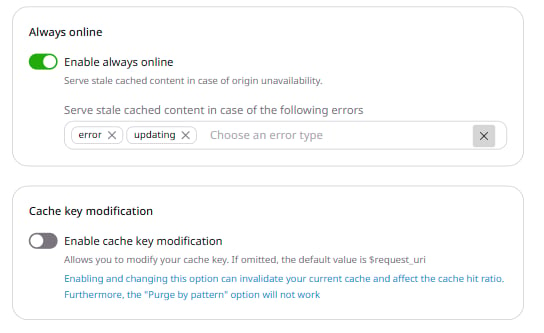
The following error conditions trigger stale content delivery:
- error — network or connectivity issue
- updating — cache is being refreshed
- Timeout
- Invalid Header
- Error 500
- Error 502
- Error 503
- Error 504
- Error 403
- Error 404
- Error 429
Configure Always Online
To configure Always Online via the Gcore Customer Portal: 1. Navigate to CDN resources and click the CDN resource. 2. In the sidebar, click Cache. In the expanded menu, click Always online.